[ntab Configuration]
 |
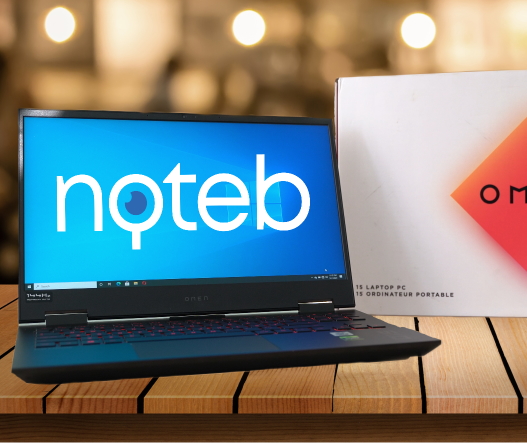
In late 2019 noteb tested the HP Pavilion Gaming 15, which overall was not a bad laptop. Still, the Pavilion was no match for its competition in terms of thermal management and overall performance. At the time, the HP Omen was noticeably more expensive, and user reviews were generally not very favourable. However, HP listened to its customers and in 2020 introduced a completely redesigned Omen 15. The new HP Omen is cheaper than the previous versions and supposedly has an improved cooling system. Curious about the new Omen, Noteb took it for a test ride to see if the new design addresses most of the former version’s problems.
 |
Our impression was overall positive. The new HP Omen is much better than the previous model and a noticeable leap over the HP Pavilion Gaming 15. However, compared to other laptops like the Lenovo Legion 5 or the Acer Helios 300, it still runs noticeably hotter. The HP Omen can be an excellent purchase for around $1100, which usually the price it has while on-sale.
The unit reviewed here is the HP Omen 15t -ek0 which sells for around $1,400.
| Full name: HP Omen 15t-ek0 | ||
|---|---|---|
| Configuration specifications: | ||
| Display | 15.6-inch, 1920 x 1080 @ 144Hz, Matte, IPS LGD05FE | |
| Processor | Intel Core i7-10750H @ 2.60GHz (6c/12t) | |
| Memory | SK Hynix 16GB DDR4 2933MHz (dual-channel) | |
| Video card | NVIDIA GeForce GTX 1660 Ti 6GB GDDR6 (TU116M) | |
| Wireless card | Intel Wi-Fi 6 AX201 | |
| Storage | Toshiba (KXG60ZNV512G) 512 GB M.2 PCIe SSD | |
| Battery | 70.9 WHr 6 cell Li-Pol | |
| Operating system | Windows 10 Pro (Version 20H2) | |
| Full specifications here | ||
[ntab Build quality]
 |
The 2020 HP Omen has a noticeable better chassis than previous versions. Firstly, HP dropped the single large hinge that connected the display to the main body favouring the classic two-hinge approach. The
single hinge approach was more prone to failure due to wear and tear. It was also very stiff at first but gradually became looser over time due to usage. It was not a flawed approach, but it creates unnecessary small problems without any significant benefits besides the laptop’s unique design.
Apart from the new design, the chassis feels sturdy without any noticeable flex. The primary build material is hard plastic, which is the norm for gaming laptops in this price range. The matte finish of the palm rest looks cool, but unfortunately, it is a fingerprint magnet.
| Physical size: | ||
|---|---|---|
| Width: | 358 mm / 14.09 inches | |
| Depth: | 240 mm / 9.44 inches | |
| Height: | 25 mm / 0.98 inch (front), 30mm / 1.18 inch (back) | |
| Laptop weight: | 2.120 kg / 4.67 lbs | |
The typing experience was enjoyable. The keys have a short travel time and are highly responsive. The keys are also standard size, and there is even a bit of space between them, which helps a lot with the typing experience and reduces typing mistakes. It is safe to conclude that the keyboard is well designed for gaming and generic typing. Unfortunately, however, the standard-sized keys, combined with the small space between them, means there is no room for a Numpad. So, while this keyboard design choice is understandable for gaming, this laptop is not for those who feel that a Numpad is a must.
 |
[ntab Disassembly]
 |
Opening up the HP Omen 15 is not too hard. After unscrewing the eight Phillips head screws, use a prying tool to carefully separate the plastic bottom cover from the main chassis. Start with the prying tool from the back of the laptop and slowly move towards the sides. The plastic clips that hold the bottom cover attached to the main chassis require some work and patience to unclip. But with care and patience, anything is possible. Once the whole bottom cover has been unclipped, gently lift it to reveal the laptop’s insides.
 |
Inside, there is:
- two M.2 SSD/PCIe slots (2280);
- two RAM slots;
- Soldered WiFi (sorry);
Both M.2 SSDs are easy to replace. HP provides each M.2 slot with a protective cover and thermal pads regardless whether they are occupied by an M.2 SSD or not. To install/remove an M.2 SSD, remove the one screw which holds the protective cover onto the motherboard and then the slot becomes accessible to remove or install the SSD.
The RAM slots are also easy to access and have no hidden screws that hold the memory DIMMs in place.
The battery can be replaced by first disconnecting it from the motherboard and then removing the screws which hold it firmly attached to the main chassis. Disconnecting the battery before unscrewing is a recommendation, not a must. If it seems too difficult to disconnect, then unscrew it first and then disconnect it.
Sadly, the WiFi module is soldered and cannot be upgraded, but at least HP factory-installed a pretty decent WiFi module.
[ntab Ports]
 |
The HP Omen 15 has a more than decent selection of ports which should satisfy the needs of most gamers.
Overall, the laptop has :
 |
– Leftside
- one Ethernet port;
- one USB 3.0 Type-A ports;
- one HDMI 2.0 port;
- one SD Card Reader;
- a standard 3.5mm jack combo for microphone and headphones or speakers;
- a DC-in power connector.
 |
– Rightside
- two USB 3.0 Type-A ports;
- one USB 3.0 Type-C port (also known as USB-C 3.2 Gen 1);
- one mini-DisplayPort;
Another thing worth mentioning is that the USB ports are pretty close together, so inserting a dongle or adapter will often block the adjacent USB ports.
[ntab Display]
 |
Like most gaming laptops in this price range, the HP Omen 15 comes with a 144Hz refresh rate display. This review unit, in particular, comes with an LG IPS display, the LGD05FE. As expected from an IPS panel, the screen has excellent viewing angles and a decent level of colour coverage, similar to most 144Hz displays on the market.
The backlit bleeding was well within acceptable levels and nothing to worry.
 |
Here is a link to the calibrated display profile of the reviewed unit. Because each display is unique, this profile will not perfectly match other displays of the same model. Still, using this profile should give better overall colours.
 |
[ntab Benchmarks]

|
SCORE |
5676 |
|---|---|
| Graphics score | 5492 |
| CPU score | 7012 |

|
SCORE |
12902 |
|---|---|
| Graphics score | 14195 |
| Physics score | 17924 |
| Combined score | 5134 |

| Single-core score | Multi-core score |
| 1219 | 25225 |
| Single-core score | Multi-core score |
| 5575 | 6193 |
[ntab Gaming Benchmarks]
 |
[ntab Temperatures]
 |
The cooling solution of the 2020 HP Omen 15 consists of three heat pipes. Two of these heat pipes are shared between the processor, and one remains dedicated to the video card. On each side of the laptop, a fan pulls air from the left or right side, depending on where the fan is placed and pushes it out through the back.
 |
There are two air intakes, one on the left and one on the right of the laptop and two exhaust vents in the back.
Having the air intakes on the side is excellent because it prevents the hot air from blowing onto the user’s hand while using the mouse. However, the area behind the laptop can get ridiculously hot in prolonged gaming sessions. Soo hot that you cannot put your hand on the surface behind the laptop. For this laptop to cool itself properly, it needs a minimum clearance for its back exhaust of 20-30 cm (8-12 inches).
After testing almost 70 games from a wide variety of genres and on various graphical settings, it is clear that this laptop has a borderline OK thermal management. In most games, the processor’s temperatures hovered between 85-95° C (185-203° F) while in the more graphically demanding titles it often reached temperatures of 93-95° C (199.4-203° F). As for the clock speeds, in most games, the processor manages to maintain an average frequency of 4.2 GHz, while in the more demanding ones it drops to 4.1 GHz.
All temperature measurements were performed at an ambient temperature of 27° C (80.6° F).
 |
During the standard 30 minutes AIDA64 stress test (CPU, FPU, cache), the processor reached an average temperature of 71 °C (160 °F), with a maximum of 81 °C (178 °F). At these temperatures, the processor managed to keep an average frequency of 3.69 GHz, with occasional dips to as low as 3.48 GHz on some of its cores. Given that the i7-10750H has a minimum guaranteed frequency of 2.60 GHz and a maximum all-core boost of 4.30 GHz, it is safe to conclude that the cooling solution of the 2020 version for the HP Omen 15 is acceptable for its processor.
| AIDA 64 CPU Stress Test [Frequency] | |||
|---|---|---|---|
| CPU: Intel Core i7-10750H | Minimum | Maximum | Average |
| Core 0 Clock | 3.488 MHz | 3.691 MHz | 3.564 MHz |
| Core 1 Clock | 3.488 MHz | 3.692 MHz | 3.566 MHz |
| Core 2 Clock | 3.488 MHz | 3.691 MHz | 3.570 MHz |
| Core 3 Clock | 3.488 MHz | 3.691 MHz | 3.569 MHz |
| Core 4 Clock | 3.488 MHz | 3.692 MHz | 3.565 MHz |
| Core 5 Clock | 3.488 MHz | 3.593 MHz | 3.566 MHz |
| AIDA 64 CPU Stress Test [Temperatures] | |||
|---|---|---|---|
| CPU: Intel Core i7-10750H | Minimum | Maximum | Average |
| Core 0 Temp | 68 °C / 154.4 °F | 81 °C / 177.8 °F | 75 °C / 167 °F |
| Core 1 Temp | 62 °C / 143.6 °F | 74 °C / 165.2 °F | 69 °C / 156.2 °F |
| Core 2 Temp | 68 °C / 154.4 °F | 83 °C / 181.4 °F | 75 °C / 167 °F |
| Core 3 Temp | 63 °C / 145.4 °F | 75 °C / 167 °F | 70 °C / 158 °F |
| Core 4 Temp | 65 °C / 149 °F | 77 °C / 170.6 °F | 71 °C / 159.8 °F |
| Core 5 Temp | 62 °C / 143.6 °F | 73 °C / 163.4 °F | 68 °C / 154.4 °F |
In the combined AIDA64 stress test (which had both the processor and the GTX 1660 Ti under heavy load for 30 minutes), the processor reached a maximum temperature of 99 °C (210 °F) and throttled until it settled at a temperature of 86 °C (187 °F). Despite its throttling, the processor still managed to keep an average clock speed of 2.93 GHz with occasional dips to as low as 2.79 GHz, which exceeds the minimum advertised clock speed of 2.60 GHz. The dedicated graphics card maintained an average clock speed of 1785 MHz with a maximum boost of 1890 MHz. Temperature-wise, the video card hovered between 80-82°C (180 – 185°F).
After all the tests conducted by the Noteb review team, it is safe to conclude that the HP Omen’s cooling solution is adequate for its featured components. HP gave cooling priority to the video card at the expense of the processor. Even so, the processor still keeps within Intel specifications. To prioritise the GPU cooling is understandable, as the GPU is the primary component determining the FPS and graphic’s quality. By comparison to other laptops, the GTX 1660 Ti in this laptop boosts noticeably higher.
| AIDA 64 Combined Stress Test [Frequency] | |||
|---|---|---|---|
| CPU: Intel Core i7-10750H | Minimum | Maximum | Average |
| Core 0 Clock | 2,890 MHz | 4,189 MHz | 2,931 MHz |
| Core 1 Clock | 2,890 MHz | 4,191 MHz | 2,931 MHz |
| Core 2 Clock | 2,890 MHz | 4,190 MHz | 2,930 MHz |
| Core 3 Clock | 2,890 MHz | 4,190 MHz | 2,930 MHz |
| Core 4 Clock | 2,890 MHz | 4,190 MHz | 2,931 MHz |
| Core 5 Clock | 2,793 MHz | 4,189 MHz | 2,930 MHz |
| AIDA 64 Combined Stress Test [Temperatures] | |||
|---|---|---|---|
| CPU: Intel Core i7-10750H | Minimum | Maximum | Average |
| Core 0 Temp | 68 °C / 154.4 °F | 99 °C / 210.2 °F | 88 °C / 190.4 °F |
| Core 1 Temp | 67 °C / 152.6 °F | 90 °C / 194 °F | 85 °C / 185 °F |
| Core 2 Temp | 72 °C / 161.6 °F | 96 °C / 204.8 °F | 88 °C / 190.4 °F |
| Core 3 Temp | 70 °C / 158 °F | 90 °C / 194 °F | 85 °C / 185 °F |
| Core 4 Temp | 70 °C / 158 °F | 97 °C / 206.6 °F | 87 °C / 188.6 °F |
| Core 5 Temp | 68 °C / 154.4 °F | 89 °C / 192.2 °F | 84 °C / 183.2 °F |
However, HP set a pretty high bar when it comes to maximum processor temperature. While gaming, the processor often runs at above 90 °C (194 °F) and occasionally reaches 95 °C (203 °F). Allowing the laptop to run this hot enables it to keep a very high boost speed, which results in better performance. However, such a high temperature may affect the laptop’s reliability in the long term, but its negative impact should start to show only 3-4 years after purchase.
[ntab Battery life]
 |
Since most laptops are used on battery for mundane office activities and web browsing, the laptop was tested using a simulated continuous web browsing session over the WiFi. The browsing session involved checking emails/news, social media and accessing multimedia websites, similar to the behaviour of an average user. The level of brightness was set according to visibility and usability. At 50% brightness, the laptop provided an enjoyable viewing experience. The sound volume was also set to 50%.
| Battery details: | ||
|---|---|---|
| Device name: | Primary | |
| Manufacturer Name: | HP | |
| Unique ID: | SerialNumberHPPrimary | |
| Battery type: | Li-ion | |
| Designed Capacity: | 70224 mWh | |
| Full Charged Capacity: | 70224 mWh | |
 |
With its 71 WHr battery, the laptop lasted 3 hours. The machine was tested using both Firefox and Edge and yielded similar battery life results regardless of the browser. Also, Nvidia Optimus was enabled for the entire duration of the tests, meaning that the laptop should have only used its Intel integrated video card.
Charging the laptop from 5% to 100% took almost 2 hours
[ntab Conclusion]
Pros:
- the new design improves aesthetics and hinge reliability;
- excellent processor boost speeds;
- 144Hz display;
- quality keyboard with short travel time;
- decent quality speakers;
- wide selections of ports;
Cons:
- noisy at full load;
- the processor runs hot
- processor speed is noticeably lower in combined heavy loads;
- the keyboard gets hot after one hour of gaming;
- lack of Numpad;
In conclusion, the 2020 version of HP Omen 15 is a step forward from previous Omen generations. Overall, the laptop gave us a positive impression. There are many things that HP did right with this laptop, including design, speakers, ports and overall performance. The cooling solution is also borderline OK for the combination of GTX 1660 Ti + 10750H. However, there are still things that need improving
For a little bit of extra performance, HP allows the processor to run hotter than desirable for long-term reliability. A more powerful GPU will also struggle to keep itself cool in this machine. Hopefully, the next iteration of the HP Omen will have a slightly improved cooling solution, which should make this laptop perfect for long-term gaming and reliability. The recommended selling price of the HP Omen is also much higher than that of the Acer Helios 300 or Lenovo Legion 5, but it often goes on sale for less than these competing models, so if it is on sale, do not shy away from it.
[ntab Videos]

Leave a Reply